Software Tutorial in Russian. Инструкция для пользователя на русском.
Note: this software is supposed to be used by EMDR therapists not general public!
More information about this project with code, download links, how to make an EMDR machine using Arduino and explanation on what EMDR is can be found here
Window Size
The EMDR process will work better if the application window is maximized so client will not be distracted by other elements on the screen.
Android version of application is maximized by default.
Depend on version of application for Windows you can either press Maximize symbol, or application will already be loaded Maximized. In the second case if you need access to Task Bar move the mouse to the very bottom of the screen, and if you need access to Minimize/Close icons – move the mouse to the very top of the screen.
The First Screen
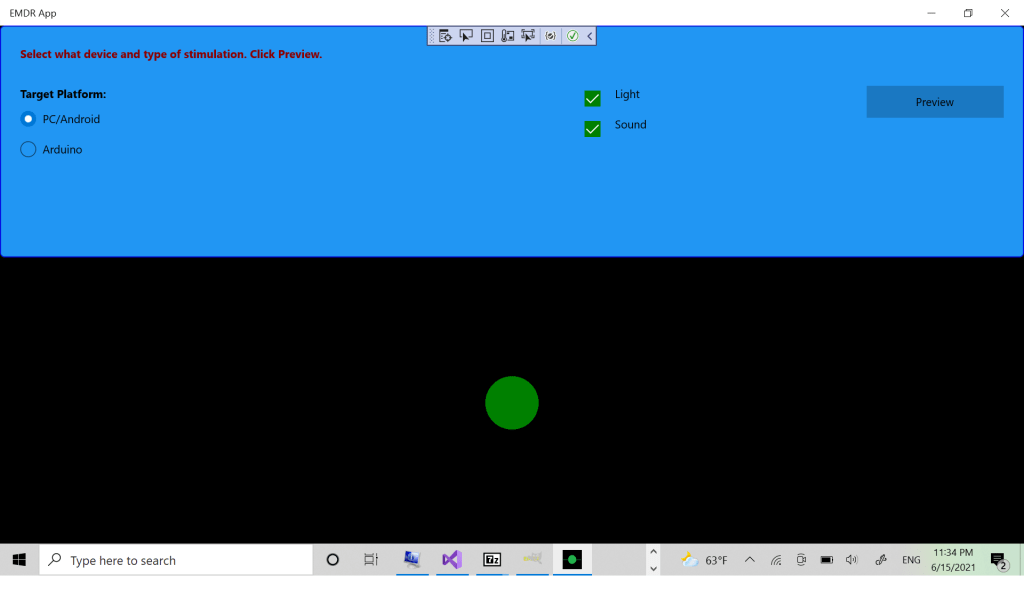
The first screen allows the user to choose if he wants to use the PC/Android version or Arduino version of the application. The PC/Android version runs solely on the user’s device, while the Arduino version runs an electronic machine thru WiFi. The electronics part of this version is described here.
If the user chose the PC/Android version, next he can select bilateral stimulation by Sound, Light or both.
If the user chooses the Arduino version he has an option to type an Arduino IP address. Communication with Arduino is done thru WiFi and default value in this textbox is corresponding Arduino static IP.
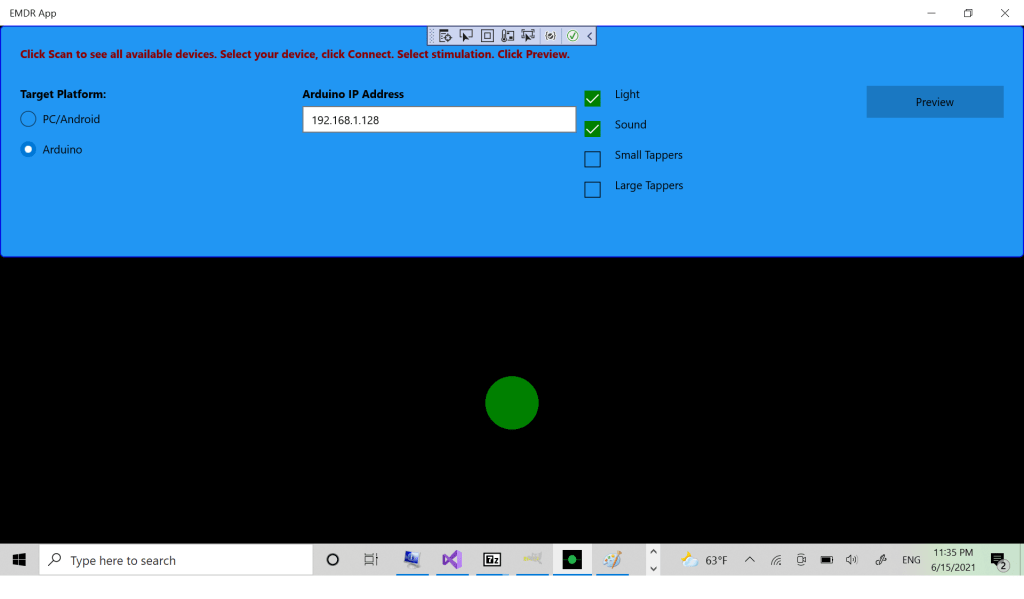
After selecting the stimulation type, the user can press the Preview button.
The Second Screen
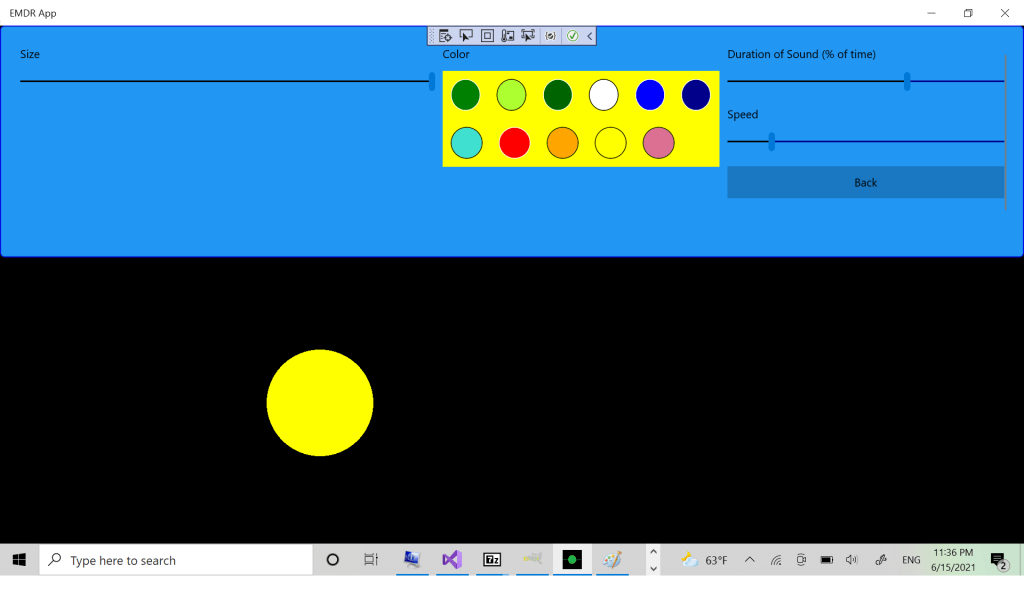
On the second screen for the PC/Android version at the top panel users can adjust size, speed and duration of sound and select a color of the light ball. User will see the changes right away in the bottom panel.
For the Arduino version, user can set LED range, brightness and speed of the stimulation. He will see the changes right away as well.
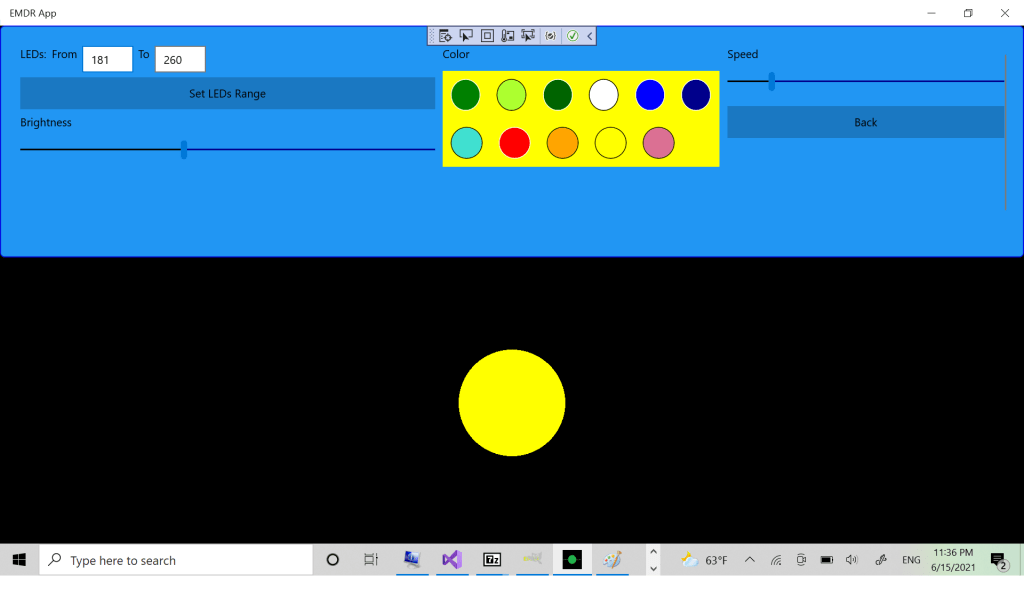
There is a Back button to go to the First Screen to adjust settings there if needed.
The Third Screen
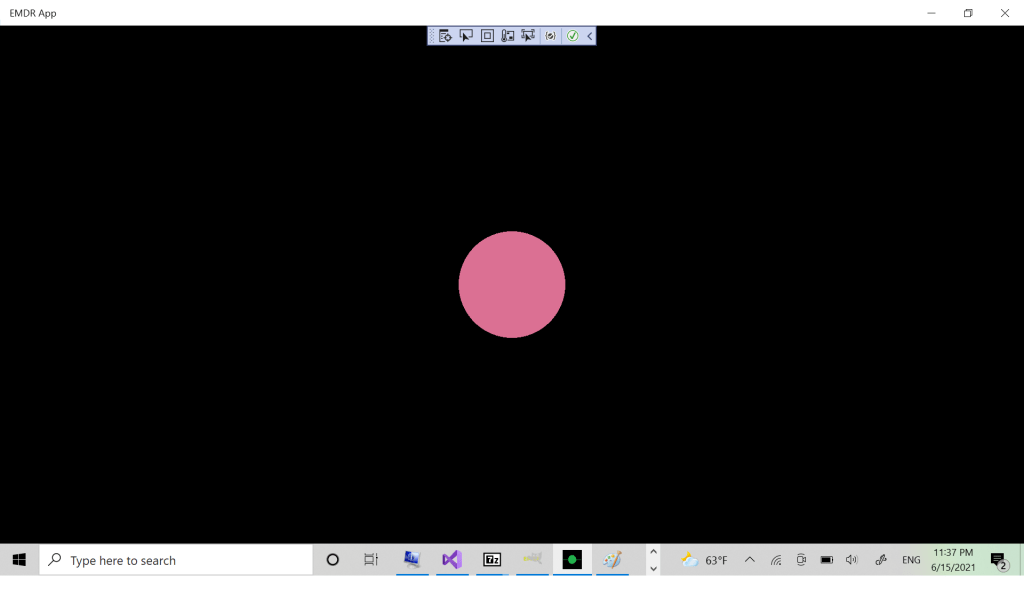
Clicking anywhere in the bottom panel makes the top Options panel disappear, so the client can really focus on the ball moving on the black screen and the sound. Another click will make the ball stop, so the therapist can temporarily stop the processing session and ask client questions. Another click will bring the Options panel back, showing the Second Screen. Another click makes Options disappear and so on.
You can contact me here if you have any questions about the application.
 Free and Fun apps for Windows and Android
So cool!
LikeLike
Thank you!
LikeLike
The ball and the sound are out of synch. Am I doing something wrong?
LikeLike
Are you using Windows or Android version? I never had this problem, but have a couple of suggestions:
Try to close applications that consume a lot of process time. Like Facebook on Android.
Try to adjust the Duration of Sound and Speed.
Let me know the results please.
LikeLike
there is no “duration” option that I can see on any screen??
LikeLike
how can I change the sound?
LikeLike
You cannot change the sound itself in this version. You can change the duration of the sound, how long it will go for. And you can adjust volume, the usual way.
LikeLike
The audio channels are flipped. When the ball hits the right side, the beep goes to the left ear, and vice versa. I tested this with two different earphones and earbuds that have a defined left and right side.
LikeLike
I will look into it. I tested with 2 generic cheap headsets and both worked correctly, but after your comment I tested with earbuds and the much better quality headset – and the channels are flipped. Thank you!
LikeLike